
steps to perform system restore
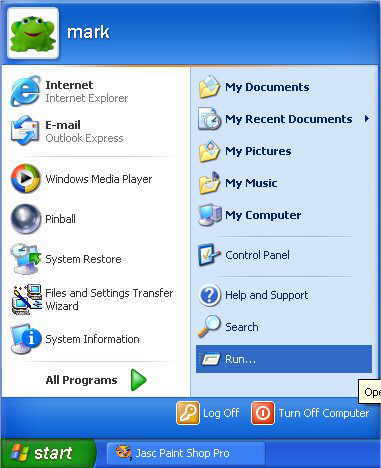
1 Click on "START" then "RUN"
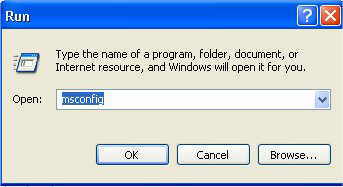
2 Type "MSCONFIG" and click on "OK"
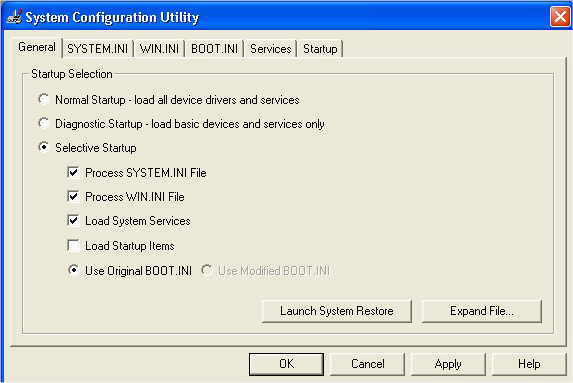
3 Now Click on "LAUNCH SYSTEM RESTORE"
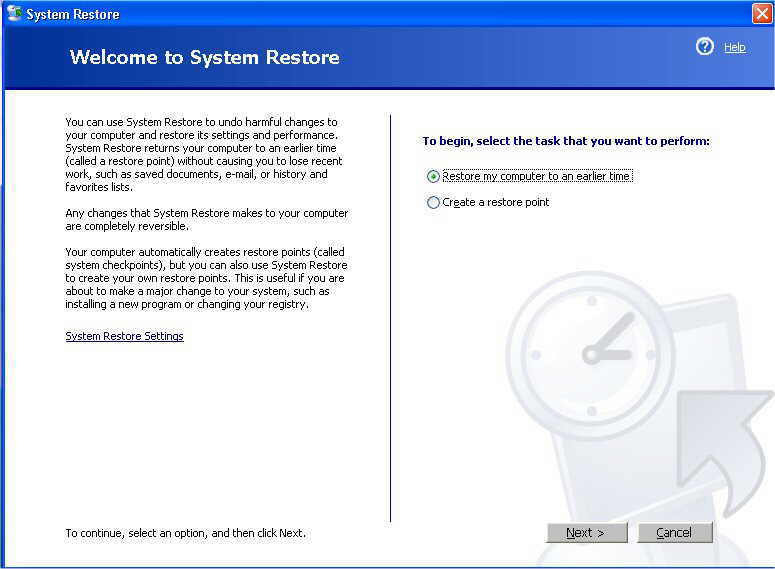
4 Leave Defaults and Click "NEXT"
5 Select a date to restore from, (Warning all software installed after date will be completely removed) and click on "NEXT"
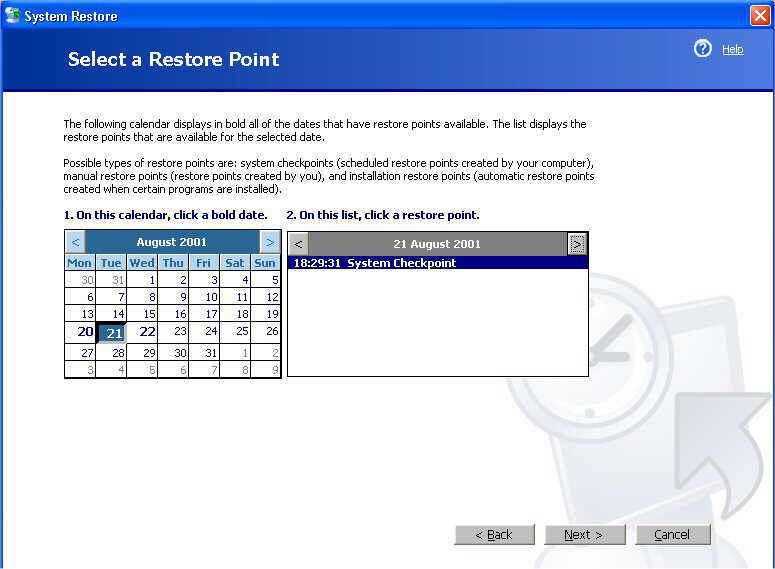
6 You will be asked to confirm date, if you are happy then click on "NEXT"
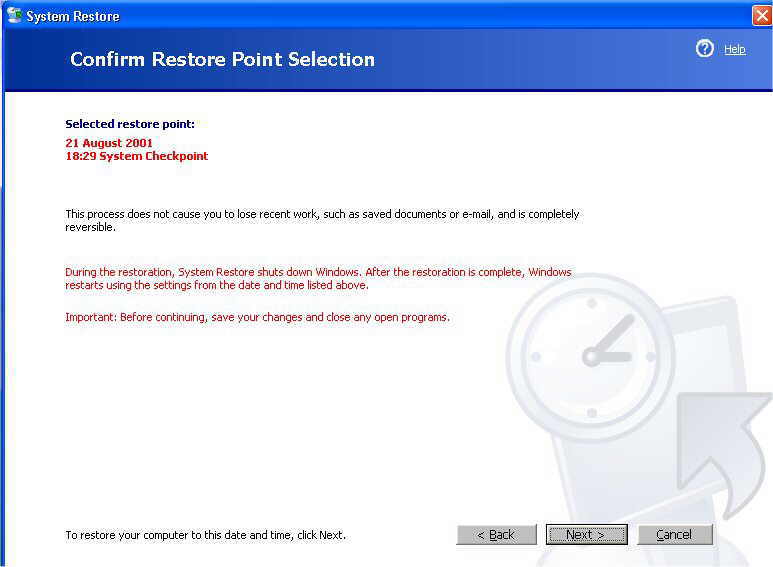
7 Your computer will now reboot, do a bit of work and when finished the below screen will be seen, your problem should now be solved, if not try another date prior to this.
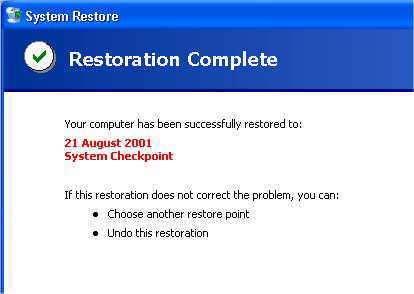
8 Done. You can undo system restore by simply launching it again and selecting "UNDO RESTORE"

No comments:
Post a Comment